
Picture this scenario. You have spent months fine-tuning your products, perfecting your pricing strategy, and optimizing your website for conversions. You finally decide to add an AI chat agent to handle customer questions around the clock. You pick a platform, set up the agent in minutes, and embed it on your site with a single script tag. Everything works perfectly from a technical standpoint. But there is one glaring problem. The chat widget looks like it belongs to a completely different website. The colors clash with your brand palette, the fonts feel out of place, and the Finally vibe screams generic template rather than premium experience. Your customers notice, and it chips away at the trust you have worked so hard to build.
This is a mistake that far too many businesses make when deploying AI agents. They focus entirely on the intelligence of the agent, on what it can say and how accurately it responds, while completely neglecting how it looks and feels to the end user. The truth is that your AI agent's interface is your digital handshake. It is the first thing your customers see before they even type a single question. If that handshake feels awkward, cold, or inconsistent with everything else on your website, you have already lost a small piece of their confidence.
At Assistlore, we recognized this problem early on. That is why we built a collection of over fifteen professionally designed interface templates, with eight available for immediate use and more constantly in development. These are not afterthoughts or placeholder skins. Each template has been carefully crafted by designers who understand visual psychology, brand communication, and user experience. Whether you run a luxury fashion brand, a scrappy tech startup, a healthcare clinic, or a bustling online marketplace, there is a template that speaks your language. In this guide, we will walk you through exactly how to choose the right one, how to customize it to match your brand perfectly, and how to make sure your AI agent feels like it has always been part of your website.
Why Your AI Interface Matters More Than You Think
Before we dive into templates, let's talk about why this matters so much. Your AI agent isn't just a tool - it's a brand ambassador. Every interaction shapes how customers perceive your business.
Think about it this way: Would you show up to a business meeting in sweatpants if you're trying to close a six-figure deal? Of course not. Your AI interface is your business's outfit - it needs to match the occasion and represent you well.
Here's what gets affected by your interface choice:
- Trust and Credibility: A professional interface instantly signals that you're a serious business. A sloppy one raises red flags before customers even type their first question.
- Brand Recognition: Consistent visual branding across all touchpoints reinforces who you are. Your AI should feel like it belongs to your business, not some third-party service.
- User Engagement: The right design encourages interaction. Wrong colors, confusing layouts, or poor mobile experience can kill engagement rates instantly.
- Conversion Rates: A well-designed interface doesn't just look good - it guides users toward their goals, whether that's making a purchase, finding information, or getting support.
The Template Categories: Finding Your Style
Assistlore offers templates organized by style and purpose. Understanding these categories helps you narrow down your options quickly. Let's break them down:
Minimal Professional
Clean, understated, and business-focused. These templates use plenty of white space, subtle animations, and a limited color palette. Perfect for B2B companies, professional services, and luxury brands where sophistication trumps flashiness.
Think law firms, financial services, consulting agencies, and high-end B2B SaaS companies. The message these templates send: "We're serious, professional, and focused on substance over style."
Vibrant Engaging
Bold colors, playful animations, and energetic designs. These templates grab attention and encourage interaction. Ideal for e-commerce, consumer brands, entertainment, and any business that wants to create excitement and energy.
Retail stores, restaurants, travel companies, and consumer apps love these templates. They say: "We're fun, approachable, and here to make your experience enjoyable."
Tech Forward
Dark themes, neon accents, futuristic elements, and modern animations. These templates scream innovation and technical prowess. Perfect for tech startups, software companies, gaming platforms, and any business at the forefront of technology.
SaaS companies, tech startups, gaming platforms, and new service providers gravitate toward these designs. They communicate: "We're ahead of the curve and pushing boundaries."
Warm Friendly
Soft colors, rounded corners, gentle animations, and approachable designs. These templates create a sense of comfort and trust. Ideal for healthcare, education, wellness, and service businesses where building personal connections is key.
Healthcare providers, educational institutions, wellness brands, and local service businesses choose these templates. They convey: "We're here to help, and we care about your experience."
Assistlore Template Collection
We're proud to offer 15+ professionally designed templates for your AI agents, with 8 templates ready to use right now and more in development. Each template is carefully crafted to meet specific business needs and brand personalities.
More Templates Coming Soon!
I think Honestly, I think We're constantly expanding our template collection with 7+ additional designs currently in development. Stay tuned for more new chat and voice interfaces that will take your AI agents to the next level.
Making Templates Match Your Brand Identity
Here's where most businesses go wrong: they pick a template they like, but it doesn't match their existing brand. Your AI agent shouldn't feel like a separate entity - it should feel like a natural extension of your website, app, and Finally brand experience.
"We initially chose a vibrant template because it looked cool, but our brand is actually quite minimal and professional. Switching to a matching template increased our customer trust scores by 35%."
Color Psychology Matters
Colors aren't just decoration - they're communication. The colors in your template should align with your brand's emotional message:
- Blue: Trust, reliability, professionalism (great for B2B, finance, healthcare)
- Green: Growth, health, sustainability (perfect for wellness, eco-friendly brands, finance)
- Red: Energy, urgency, passion (ideal for sales, food, entertainment)
- Purple: Creativity, luxury, innovation (great for creative agencies, premium brands)
- Orange: Friendliness, enthusiasm, affordability (perfect for consumer brands, education)
Typography Sets the Tone
The fonts in your template communicate as much as the colors. Serif fonts (like Times New Roman) feel traditional and established. Sans-serif fonts (like Arial or Helvetica) feel modern and clean. Script fonts feel personal and creative.
Match your template's typography to your existing brand fonts for consistency. If you don't have brand fonts established, choose fonts that align with your industry and target audience.
Industry-Specific Considerations
Different industries have different expectations and user behaviors. Let's look at what works best for specific sectors:
E-commerce and Retail
For online stores, the interface needs to balance helpfulness with sales focus. Product recommendations should be visually prominent, but not pushy. Quick access to shipping info, returns, and product details is crucial. Vibrant or tech-forward templates often work best here, with clear CTAs for purchasing.
Healthcare and Wellness
Trust is everything in healthcare. Templates should be clean, professional, and reassuring. Easy access to appointment booking, insurance information, and emergency contacts is essential. Warm friendly or minimal professional templates typically perform best, with calming color schemes.
Financial Services
Security and professionalism are non-negotiable. Templates should convey stability and expertise. Quick access to account information, support, and educational resources is important. Minimal professional templates with conservative colors (blues, grays) are usually the way to go.
SaaS and Technology
Innovation and efficiency are key messages. Templates should showcase technical capability while remaining user-friendly. Easy access to documentation, pricing, and support is crucial. Tech forward or minimal professional templates work well, with modern design elements.
Education and Learning
Templates should be engaging but not distracting. Easy navigation to courses, resources, and support is essential. Warm friendly or vibrant engaging templates often work best, with clear information hierarchy and accessibility features.
The Power of Customization
Here's the secret: templates are just the starting point. The real magic happens when you customize them to perfectly match your brand. Assistlore makes this incredibly easy, even if you have zero design experience.
Color Customization
Don't just pick a template and leave the default colors. Upload your brand colors or use the color picker to match your existing branding. You can customize:
- Primary and secondary colors
- Button colors and hover states
- Text colors for different elements
- Background colors and gradients
- Accent colors for highlights and alerts
Typography Control
Fonts make a huge difference in how your brand is perceived. With Assistlore, you can:
- Upload custom fonts or choose from our library
- Adjust font sizes for different elements
- Set font weights and styles
- Control line spacing and readability
Logo and Branding Elements
Your logo should be prominently displayed. You can:
- Upload your logo in multiple formats
- Adjust size and positioning
- Add brand slogans or taglines
- Include brand patterns or watermarks
Mobile-First: Non-Negotiable in 2024
Here's a sobering statistic: over 70% of AI interactions happen on mobile devices. If your template doesn't look and work perfectly on phones, you're failing the majority of your users.
All Assistlore templates are mobile-responsive by default, but here's what to look for:
- Touch-Friendly Design: Buttons should be large enough to tap easily, spacing should prevent accidental clicks, and the interface should work with thumbs, not just mouse pointers.
- Readable Text: Font sizes should adjust automatically for mobile screens, and contrast should remain strong even in bright sunlight.
- Fast Loading: Mobile users are impatient. Templates should be optimized for speed, with minimal animations that don't slow down the experience.
- Vertical Layout: The interface should stack elements naturally on smaller screens, maintaining usability without horizontal scrolling.
"We tested our AI interface on mobile and found that 40% of users were abandoning because the buttons were too small. After switching to a mobile-optimized template, our engagement doubled."
Voice Interface Templates: The Next Frontier
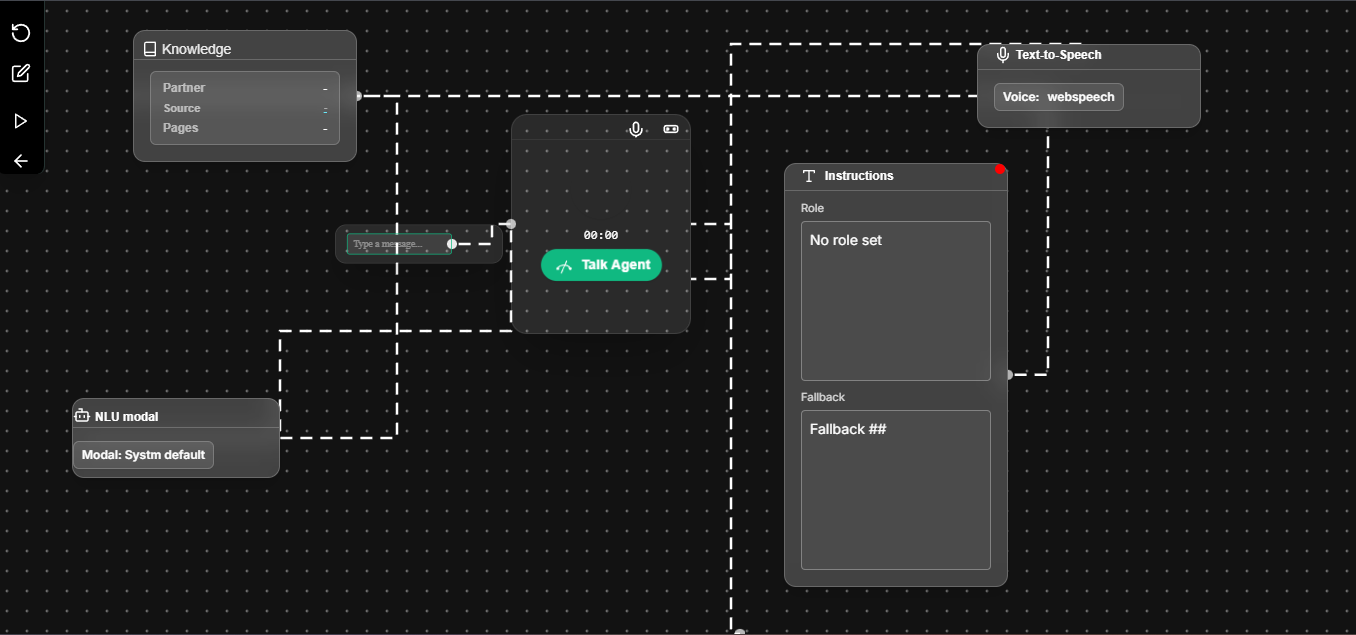
Don't forget about voice interfaces! As voice AI becomes more popular, having a well-designed voice interface template is becoming crucial. Voice templates need to consider:
- Visual Feedback: Users need to see when the AI is listening, processing, and speaking. Waveforms, pulsing indicators, and transcription displays are essential.
- Error Handling: What happens when speech recognition fails? The interface should guide users back on track gracefully.
- Accessibility: Voice interfaces should be usable by people with different abilities and in different environments.
- Context Preservation: Users should be able to see the conversation history and context, even in voice interactions.
Testing and Optimization: Don't Set It and Forget It
Here's a mistake many businesses make: they choose a template, customize it, and never look back. But the perfect interface today might not be perfect tomorrow. User expectations change, your brand evolves, and new design trends emerge.
The smart approach is to continuously test and optimize:
- A/B Test Templates: Try different templates with different user segments and see which performs better.
- Monitor Metrics: Track engagement rates, conversion rates, and user satisfaction scores.
- Gather Feedback: Ask users what they think about the interface. Sometimes small changes make big differences.
- Stay Current: Keep an eye on design trends and user expectations in your industry.
Your Template Selection Checklist
Before you make your final choice, run through this checklist:
✅ Brand Alignment
Honestly, You know Honestly, Does the template match your brand's personality, colors, and Finally aesthetic?
✅ Industry Appropriateness
Honestly Does the design meet the expectations and norms of your specific industry?
✅ Mobile Performance
Does the template work flawlessly on mobile devices where most users will interact?
✅ User Experience
Honestly, Is the interface intuitive, easy to navigate, and free of confusing elements?
✅ Customization Potential
Can you easily customize the template to perfectly match your brand without technical skills?
✅ Performance
You know Does the template load quickly and work smoothly across different devices and browsers?
Making Your Decision
Choosing the right template isn't just about picking something that looks good - it's about creating an experience that represents your brand perfectly and serves your users effectively. Take your time, test your options, and don't be afraid to iterate.
Remember, your AI interface is often the first impression customers have of your business in digital conversations. Make it count. Choose a template that not only looks great but also communicates who you are and what you stand for.
Ready to find your perfect match? Browse our template collection and see how easy it is to create an AI interface that truly represents your brand.